
AI Glass Camera: AI Visual Assistant
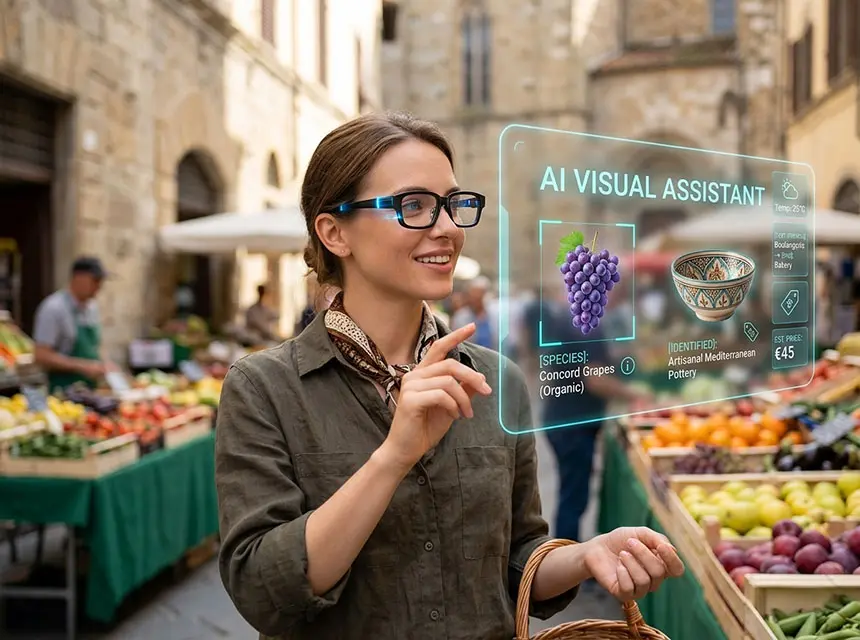
The AI Visual Assistant is the “brain” behind the camera, turning your AI glasses from a simple recording device into an intelligent, context-aware companion. By leveraging Multimodal AI (like GPT-4o or Gemini), the camera doesn’t just capture images—it “understands” what you are seeing in real-time.
Here is a detailed breakdown of the AI Visual Assistant capabilities:
1. Object & Landmark Recognition (“What am I looking at?”).
This is the most fundamental feature. By pointing your eyes at an object, the AI can analyze and describe it:
- Landmark Identification: While traveling, you can look at a monument and ask, “Tell me the history of this building.” The AI identifies the structure and provides an audio or HUD summary.
- Product Sourcing & Identification: See an interesting item in a shop? The AI can identify the brand, model, and even find the best price online or provide technical specifications.
2. Intelligent Document & Text Processing.
The camera acts as a high-speed scanner that feeds data into the AI for immediate action:
- Visual Translation: It scans menus, street signs, or documents in foreign languages and translates them instantly via the Heads-up Display.
- Summarization: Look at a long restaurant menu or a legal document, and ask the AI to “Find the vegetarian options” or “Summarize the key points of this contract.”
3. Smart Daily Assistance.
The AI uses visual cues to help with everyday tasks:
- Culinary & Nutrition Guide: Point the camera at a meal to estimate calorie counts or identify ingredients (useful for those with allergies).
- Memory Aid (Object Finding): The AI can remember where it last “saw” your keys or wallet within your home, helping you find lost items by reviewing visual history.
- Smart Shopping: Identify grocery items and have the AI automatically add them to your digital shopping list.
4. Technical & B2B Support (Expert POV).
In a professional setting, the Visual Assistant bridges the gap between field work and expertise:
- Fault Detection: An engineer can look at a circuit board or engine, and the AI can highlight potential issues or compare the current state to a “standard” technical drawing.
- Guided Assembly: The AI recognizes specific components and overlays step-by-step assembly instructions onto the HUD, ensuring hands-free accuracy.
5. Social & Contextual Awareness.
- Face Reminders: In a business networking scenario, the AI can recognize a contact and discreetly display their name and last meeting details on your HUD (privacy settings permitting).
- Scene Description: For the visually impaired, the AI can narrate the scene, describing people’s actions, facial expressions, and obstacles in the path.
Comparison: Standard Camera vs. AI Visual Assistant:
| Feature | Standard Camera (e.g., Spectacles) | AI Visual Assistant (e.g., GL02) |
| Output | Raw Image/Video file. | Actionable Data & Insight. |
| Understanding | None (Pixels only). | Semantic (Knows what the object is). |
| Interaction | Post-capture viewing. | Real-time audio/HUD feedback. |
| Utility | Memories/Social Media. | Problem solving, productivity, & learning. |
The AI Visual Assistant transforms the camera from a passive recorder into an active observer that provides real-time solutions based on your visual environment.