

5 Best Smart Glasses for Live Streaming and POV Content Creation (2026 Guide)
What if you could stream your POV to thousands of followers — without ever holding a phone? Smart glasses for live streaming have made that a reality, turning your glasses into a broadcast rig that captures what you see the moment you see it — no tripod, no gimbal, no fumbling.
If you’ve ever tried filming an IRL stream while juggling a gimbal, a battery pack, and a phone that keeps overheating, you already know the pain. You’re constantly managing gear instead of being in the moment. Your audience can tell. The good news? The latest generation of camera glasses solves nearly every problem that made early models frustrating — from battery life that barely lasted a coffee break to video quality that looked like a webcam from 2008.
So which ones are actually worth your money? We tested five contenders across price points — from $50 budget recorders to $1,299 AR headsets — to find out. Below you’ll find head-to-head specs, setup walkthroughs, and honest answers to the questions creators ask us most. Instagram Live regular? Twitch IRL streamer? Weekend vlogger? Whatever your platform, you’ll find your match below — no PhD in spec sheets required.
Key Takeaways
- The Ray-Ban Meta Gen 2 ($379) is the best all-around choice for Instagram and Facebook Live creators, with 3K video and native Meta streaming plus Streamlabs integration.
- The Mentra Live ($349) offers the only open-source platform with RTMP/SRT streaming, making it ideal for multi-platform IRL streamers who want full control.
- The Symphonic Waves ($300–$500) solves the battery problem with a hot-swap system delivering effectively unlimited runtime for all-day outdoor streaming.
- The OhO Sunshine 4K ($50–$100) is the best budget option for vloggers who prioritize recording quality over live streaming.
- The RayNeo X3 Pro ($1,299) brings AR overlays and AI-powered object recognition to content creation, aimed at tech-forward creators.
Quick Comparison: 5 Smart Glasses for Live Streaming Head-to-Head
The 5 best smart glasses for live streaming in 2026 are the Ray-Ban Meta Gen 2, Mentra Live, Symphonic Waves, OhO Sunshine 4K, and RayNeo X3 Pro. Here’s a side-by-side breakdown so you can scan the field at a glance:
| Product | Best For | Price | Video Quality |
|---|---|---|---|
| Ray-Ban Meta Gen 2 | Social streaming (IG/FB Live) | $379 | 3K @ 30fps / 1200p @ 60fps |
| Mentra Live | Multi-platform IRL streaming | $349 | 1080p, 119° FOV |
| Symphonic Waves | All-day outdoor POV streaming | $300–$500 | 3K, 10-bit HDR |
| OhO Sunshine 4K | Budget vlogging | $50–$100 | 4K recording |
| RayNeo X3 Pro | AR-enhanced content creation | $1,299 | AR display + AI features |
Want to explore the full range of options? Check out our collection of AI live streaming glasses or browse the complete AI camera glasses collection.
#1 — Ray-Ban Meta Smart Glasses (Gen 2): Best Overall for Social Streaming
When Meta and Ray-Ban teamed up for the second generation of their smart glasses, they didn’t just iterate — they addressed nearly every complaint creators had about the original. The result is a pair of glasses that feels like wearing a competent broadcast camera on your face, without looking like you’re wearing tech at all.
Key Specs at a Glance
| Specification | Details |
|---|---|
| Camera | 12MP ultra-wide |
| Video | 3K @ 30fps / 1200p @ 60fps |
| Battery Life | Up to 8 hours (mixed use) |
| Charging Case | +48 hours additional charge |
| Fast Charge | 50% in 20 minutes |
| Storage | 32GB internal |
| Weight | 52g |
| Water Resistance | IPX4 |
| Price | $379 |
Live Streaming Performance
The Ray-Ban Meta Gen 2’s biggest advantage is its native integration with Meta’s ecosystem. You can go live on Instagram or Facebook directly from the glasses with a couple of taps in the Meta AI app — no third-party software, no complicated RTMP setup, no laptop required. For creators who live and breathe on Meta’s platforms, this is the path of least resistance.
Beyond native streaming, Streamlabs announced support for AI glasses streaming in September 2025, starting with Meta’s devices. This means you can now pipe your glasses’ camera feed into the Streamlabs Mobile app, where you can add overlays, alerts, chat windows, and even multistream to multiple platforms simultaneously. IRL streaming hours on Twitch surged 133% to over 280 million hours watched, and Streamlabs built this integration specifically to capture that growing audience.
The 12MP camera captures 3K video at 30fps with Meta’s advanced video stabilization, which smooths out the head bobble that makes raw POV footage nauseating to watch. The 5-mic array picks up your voice clearly even in noisy environments — bad audio kills streams faster than mediocre video. The mandatory recording LED also means everyone around you knows when you’re capturing content, which is a privacy feature that keeps you on the right side of the law.
Pros and Cons
| Pros | Cons |
|---|---|
| Native Instagram/Facebook Live streaming — one-tap go live | Locked into Meta ecosystem for native streaming |
| 3K video with strong stabilization — smooth enough for Reels | 32GB storage fills up quickly during long sessions |
| 8-hour battery + 48-hour charging case — all-day streaming | No RTMP support for custom platforms like Twitch |
| Streamlabs integration rolling out — opens multi-platform options | Mandatory recording LED (can’t disable) |
| Looks like normal Ray-Ban sunglasses — zero social awkwardness | No display or AR features |
Best For: Instagram/Facebook Live Creators
If your audience lives on Instagram or Facebook, the Ray-Ban Meta Gen 2 is the obvious choice for smart glasses for live streaming. It’s the only pair on this list with native, platform-level streaming support — meaning fewer dropped connections, simpler setup, and a workflow that feels designed rather than hacked together. At $379, it sits in the sweet spot between premium enough to deliver quality and affordable enough for serious hobbyists.
#2 — Mentra Live: Best Open-Source Streaming Glasses
While most smart glasses lock you into a closed ecosystem, Mentra Live takes the opposite approach. Built on MentraOS — an open-source operating system with a public GitHub repository — these glasses give developers and power users the freedom to build, modify, and deploy custom streaming apps. For IRL streamers who need flexibility that consumer-first devices can’t provide, this is a breath of fresh air.
Key Specs at a Glance
| Specification | Details |
|---|---|
| Camera | 8MP (3264 × 2448 photos) |
| Video | 1080p HD |
| Field of View | 119° (landscape) |
| Battery Life | 12+ hours mixed use |
| Live Streaming | 40+ minutes continuous |
| Weight | 43g |
| Price | $349 |
Live Streaming Performance
Mentra Live supports RTMP, SRT, and WebRTC streaming protocols, which means you can push your POV feed to virtually any platform — Twitch, YouTube, Kick, X, or a custom RTMP endpoint. This is a critical differentiator. The Ray-Ban Meta limits you to Meta’s platforms (plus Streamlabs as a bridge), but Mentra Live treats streaming as an open standard.
The 119° field of view is noticeably wider than the Ray-Ban Meta’s, which captures more of your surroundings — ideal for IRL streams where context matters. The trade-off is video resolution: 1080p is solid but not as crisp as the Meta’s 3K output. If you’re curious about the underlying technology, learn how AI glasses work in our deep-dive guide.
Where Mentra truly shines is its developer ecosystem. The open-source SDK gives you access to the camera, microphones, speakers, and AI capabilities. You can build a custom streaming app that adds real-time captions, overlays, or even AI-generated commentary — then deploy it to your glasses over the air.
One thing to note: continuous live streaming is capped at around 40 minutes per charge. For longer streams, you’ll need the charging case nearby or a power bank connected via the Infinity Cable. This isn’t a dealbreaker for most IRL streamers who take breaks, but it’s worth knowing if you’re planning marathon broadcasts.
Pros and Cons
| Pros | Cons |
|---|---|
| Open-source OS with full SDK — build your own streaming app | 1080p video (not 3K/4K) — fine for live, softer for VOD |
| RTMP/SRT/WebRTC streaming — works with any platform | 40-minute continuous streaming limit per charge |
| 119° wide FOV — captures the full scene for IRL content | Smaller app ecosystem than Meta |
| 12+ hour mixed-use battery — lasts a full day of shooting | Matte black only (limited styles) |
| Compatible with other hardware (Vuzix, Even Realities) | Requires technical know-how for advanced features |
Best For: Multi-Platform IRL Streamers
If you stream on Twitch, YouTube, Kick, or any combination of platforms, Mentra Live’s RTMP support makes it the most versatile smart glasses for live streaming on this list. The open-source nature means you’re not at the mercy of a single company’s roadmap — if you want a feature, you or the community can build it. Just be prepared for a steeper learning curve than the Ray-Ban Meta’s plug-and-play experience.
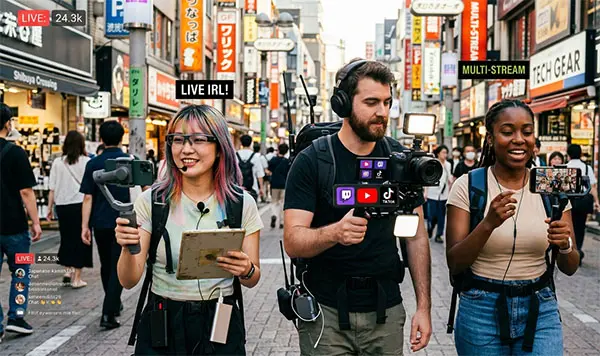
#3 — Symphonic Waves: Best for All-Day POV Streaming
Battery life has been the Achilles’ heel of camera glasses since the category began. In 2023, most pairs lasted 2–3 hours on a charge — barely enough for a single stream. By 2025, that improved to 8–12 hours for mixed use. But Symphonic Waves takes a different approach entirely: a hot-swap battery system that lets you swap depleted batteries for charged ones without powering down.
Key Specs at a Glance
| Specification | Details |
|---|---|
| Camera | 12MP |
| Video | 3K, 10-bit HDR |
| Battery Life | ~90 minutes per hot-swap pack |
| Hot-Swap System | Yes — swap without powering down |
| RTMP Streaming | Yes — Twitch, YouTube, TikTok, X, IG, FB |
| Price | $300–$500 |
Hot-Swap Battery System and RTMP Support
Here’s where Symphonic Waves changes the game. Each battery pack delivers roughly 90 minutes of streaming — not impressive on its own. But because you can hot-swap batteries without interrupting the stream, you effectively have unlimited runtime. Carry three spare packs in your bag, and you’ve got 6+ hours of continuous live streaming with zero downtime.
Picture this: Jake, a travel streamer, is broadcasting a sunrise hike on the Kalalau Trail in Kauai. Three hours in, his battery drops to 10%. Instead of ending the stream or fumbling with a power bank, he slides out the depleted pack, clicks in a fresh one, and keeps narrating the view — all in under five seconds. His 2,000 viewers never even noticed the swap.
The 10-bit HDR recording is another standout. Most camera glasses capture 8-bit color, which limits how much you can grade footage in post. Symphonic Waves’ 10-bit HDR gives you significantly more dynamic range, meaning your sky doesn’t blow out to white when you’re filming outdoors, and shadows retain detail instead of crushing to black. For creators who care about color accuracy — travel filmmakers, food vloggers, outdoor adventurers — this is a meaningful upgrade. For even higher-resolution options, consider our 13MP AI camera glasses for professional-grade capture.
RTMP support covers all major platforms out of the box: Twitch, YouTube, TikTok, X, Instagram, and Facebook. No ecosystem lock-in, no platform-specific limitations. The toggle-able recording indicator light also gives creators more control over their privacy settings compared to the Meta’s mandatory LED.
One caveat: Symphonic Waves is a newer company, and the glasses are currently limited to 500 pairs in their first production run. The hardware is still being refined, so early adopters should expect some rough edges alongside the innovative features.
Pros and Cons
| Pros | Cons |
|---|---|
| Hot-swap battery = unlimited streaming — never miss a moment | Limited to 500 pairs (early access only) |
| 3K 10-bit HDR video — rich colors for post-production | ~90 min per pack (need spares for long streams) |
| RTMP to all major platforms — true platform freedom | Hardware still being refined |
| 60-second loop recording buffer — never miss a highlight | Max clip length: 10 minutes |
| Toggle-able recording indicator — creator-controlled privacy | Newer brand with limited track record |
Best For: Long-Duration Outdoor Streamers
If your content takes you far from a wall outlet — hiking, cycling, festivals, multi-day adventures — Symphonic Waves’ hot-swap system is the feature you didn’t know you needed. Combined with 10-bit HDR and full RTMP support, it’s the most creator-focused pair of smart glasses for live streaming on this list, provided you’re comfortable being an early adopter.
#4 — OhO Sunshine 4K Camera Glasses: Best Budget Option
Not everyone needs to spend $300+ on camera glasses. If you’re a casual vlogger, a student filmmaker, or just someone who wants to experiment with POV content without a major investment, the OhO Sunshine 4K Camera Glasses deliver surprising value at a fraction of the cost.
Key Specs at a Glance
| Specification | Details |
|---|---|
| Camera | 4K video / 24MP photos |
| Storage | MicroSD card slot |
| Features | WiFi streaming, Bluetooth audio, polarized lenses |
| Price | $50–$100 |
Recording and Streaming Capabilities
Let’s be clear about what the OhO Sunshine does well and where it falls short. For recording, it’s excellent value. The 4K video capture and 24MP photo mode deliver quality that punches well above the price point, and the polarized lenses double as actual sunglasses — you’re getting functional eyewear with a camera built in.
WiFi streaming is available on certain models, but it’s basic compared to the dedicated streaming features of the Ray-Ban Meta or Mentra Live. There’s no native Instagram Live integration, no Streamlabs support, and no RTMP protocol. You can stream to a local device or use third-party apps, but the workflow is more DIY than turnkey.
Sarah, a college student who runs a hiking vlog on YouTube, picked up a pair of OhO glasses for $75. She records her trails in 4K, edits the footage at home, and uploads weekly — no live streaming needed. “I just wanted something that captures the hike without me holding a phone,” she says. “These do exactly that for the price of a nice dinner.”
If you’re wondering about the broader investment across categories, check out our guide on how much AI glasses cost.
Pros and Cons
| Pros | Cons |
|---|---|
| 4K recording at an unbeatable price — best value on the market | Limited live streaming functionality |
| Functional polarized sunglasses — dual-purpose eyewear | No native platform integration (Instagram, Twitch, etc.) |
| WiFi streaming on select models — basic but works | Bulky design compared to premium options |
| MicroSD expandable storage — never run out of space | No AR or AI features |
| Great for beginners and casual use — low-risk entry point | Audio quality is basic — consider an external mic |
Best For: Budget-Conscious Vloggers
The OhO Sunshine 4K Camera Glasses are the ideal entry point for creators who want to try POV content creation without a major financial commitment. If you primarily record and upload rather than live stream, the 4K video quality at this price is hard to beat. Just don’t expect the seamless streaming experience of more expensive smart glasses for live streaming.
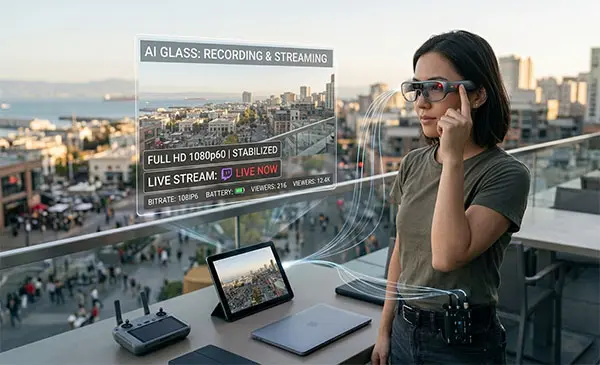
#5 — RayNeo X3 Pro: Best AR-Enhanced Content Creation
The RayNeo X3 Pro exists in a different category from the other glasses on this list. While the Ray-Ban Meta and Mentra Live are primarily camera glasses with smart features, the X3 Pro is a full augmented reality display with AI capabilities — and a price tag to match. For creators who want to push the boundaries of what wearable content looks like, this is the frontier.
Key Specs at a Glance
| Specification | Details |
|---|---|
| Display | Full-color MicroLED AR (5,000 nits peak brightness) |
| AI Features | Real-time translation, object recognition, visual Live AI |
| Weight | ~28g (display module) |
| Platform | Android app container (“RayNeo AR Virtual Machine”) |
| Price | $1,299 |
AI Features and AR Display for Creators
The headline feature is the full-color MicroLED AR display, which projects information directly into your field of view at 5,000 nits of peak brightness — bright enough to see clearly outdoors in direct sunlight. For creators, this opens up possibilities that no other glasses on this list can match.
Imagine streaming a walking tour of Tokyo and having real-time translations of street signs overlaid in your vision. Or doing a product review where AI-powered object recognition identifies the item you’re looking at and pulls up specs on your display. The X3 Pro’s visual Live AI interaction lets you ask questions about what you’re seeing and get answers in real time — a genuinely novel content format. For a deeper comparison of device categories, see our guide on AI glasses vs smart glasses vs AR glasses.
The AR HUD (heads-up display) can also show your stream chat, viewer count, and notifications without you looking down at a phone. For solo streamers who don’t have a moderator feeding them chat updates, this is a practical feature that keeps you engaged with your audience while staying hands-free.
Mark, a tech reviewer with 50K YouTube subscribers, tested the X3 Pro at CES 2026. He live-streamed his walkthrough using the AR display to read viewer questions and respond in real time — no earbuds, no phone, no production crew. “It felt like having a teleprompter built into my glasses,” he told his audience afterward. “I could see the questions without breaking eye contact with what I was filming.”
Of course, $1,299 is a serious investment, and the X3 Pro’s camera specs for traditional streaming don’t match the Ray-Ban Meta or Symphonic Waves. This is a device for creators who specifically want AR-enhanced content — not just another pair of camera glasses.
Pros and Cons
| Pros | Cons |
|---|---|
| Full-color MicroLED AR display — see info without looking away | $1,299 — most expensive on this list by far |
| AI real-time translation and object recognition — novel content format | Camera specs not as strong for pure streaming |
| 5,000-nit brightness visible in sunlight — outdoor-ready | Limited app ecosystem for creators |
| Android app container for custom apps — developer-friendly | Overkill for casual creators |
| Ultra-light display module (~28g) — barely noticeable | Availability may be limited in some regions |
Best For: AR-Enhanced Content Creators
The RayNeo X3 Pro isn’t trying to be the best camera glasses — it’s trying to be the best AR glasses that can also create content. If your content format benefits from real-time information overlays, AI-powered translations, or a heads-up display of your stream metrics, nothing else on this list comes close. Just make sure the AR features justify the premium price for your specific use case.
Platform Compatibility Matrix
One of the most common questions creators ask is: “Will these smart glasses for live streaming work with my platform?” Here’s a clear breakdown of streaming platform support across all five models:
| Product | Instagram / FB Live | Twitch / YouTube | RTMP / Custom |
|---|---|---|---|
| Ray-Ban Meta Gen 2 | Native support | Via Streamlabs | No |
| Mentra Live | Yes (RTMP) | Yes (RTMP) | Yes (RTMP/SRT/WebRTC) |
| Symphonic Waves | Yes (RTMP) | Yes (RTMP) | Yes (RTMP) |
| OhO Sunshine 4K | Limited (WiFi) | No | No |
| RayNeo X3 Pro | Depends on app | Depends on app | Limited |
Key takeaway: If you need maximum platform flexibility, Mentra Live and Symphonic Waves are your best bets thanks to full RTMP support. If you live on Instagram and Facebook, the Ray-Ban Meta’s native integration is hard to beat for smart glasses for live streaming.
How to Choose Smart Glasses for Live Streaming
With five very different options on the table, here’s a framework for making the right choice based on what matters most to your workflow as a content creator.
Video Quality and Resolution
Video resolution directly affects how professional your stream looks. The hierarchy on this list: Symphonic Waves (3K, 10-bit HDR) and Ray-Ban Meta Gen 2 (3K at 30fps) lead the pack, followed by Mentra Live (1080p) and OhO Sunshine (4K recording but limited streaming). For most creators, 1080p is the minimum acceptable quality for live streaming. Platforms like Twitch and YouTube compress your feed anyway, so the difference between 1080p and 3K is less dramatic on a live stream than on recorded video. However, if you also repurpose footage for YouTube VODs or short-form content, higher resolution gives you more flexibility in post-production.
Battery Life and Hot-Swap Systems
Battery life determines how long you can stay live without interruption. The Ray-Ban Meta’s 8-hour battery plus 48-hour charging case is the most practical for most creators. The hot-swap approach of Symphonic Waves is theoretically the best for long streams, but it requires carrying spare batteries. Mentra Live’s 40-minute continuous streaming limit means you’ll need breaks or a power bank for extended sessions.
Live Streaming Platform Support
This is the make-or-break factor for many creators. If you stream on Instagram or Facebook exclusively, the Ray-Ban Meta’s native integration is unmatched. If you need multi-platform support (Twitch, YouTube, Kick, X), look for RTMP support — which means Mentra Live or Symphonic Waves. If you’re primarily a recorder rather than a streamer, the OhO Sunshine’s 4K capture is excellent value despite limited live streaming features.
Audio Quality
Bad audio will make viewers leave faster than bad video. The Ray-Ban Meta Gen 2’s 5-mic array is the best on this list for voice capture, with spatial audio processing that isolates your voice from background noise. If you plan to stream in noisy environments (concerts, city streets, crowded events), prioritize mic quality — or plan to use a separate lavalier mic synced to your footage.
Comfort and Weight for All-Day Wear
You’re wearing these on your face for hours at a time. Weight matters. The Mentra Live (43g) and Ray-Ban Meta Gen 2 (52g) are both comfortable for extended use and look like normal sunglasses. The RayNeo X3 Pro’s display module is ultra-light at ~28g, but the full glasses weight depends on the frame.
Privacy Features
All camera glasses raise privacy considerations. The Ray-Ban Meta has a mandatory recording LED that cannot be disabled — a feature designed to make recording transparent. Symphonic Waves allows you to toggle the recording indicator light off entirely, which gives creators more control but raises ethical questions about covert recording. Always check local laws before recording in public spaces.
Storage and AI Features
The Ray-Ban Meta Gen 2 includes 32GB of internal storage. Mentra Live and OhO Sunshine (with microSD) offer expandable storage. If you stream live, storage is less critical since the feed goes directly to the platform. On the AI front, the Ray-Ban Meta features Live AI (real-time visual assistant) and live translation, while the RayNeo X3 Pro goes further with object recognition and AR overlays. AI can enhance streams with real-time captions and translations — a nice-to-have, not a must-have for most.
How to Set Up Live Streaming with Smart Glasses
Getting started with live streaming from your glasses is easier than you might think. Here are setup guides for the most common scenarios.
Setting Up Ray-Ban Meta for Instagram/Facebook Live
- Download the Meta AI app (iOS or Android) and pair your glasses via Bluetooth.
- Connect to Wi-Fi — the glasses use Wi-Fi 6 for streaming, so connect to a stable network or hotspot.
- Open the Meta AI app, select “Go Live,” and choose Instagram or Facebook as your destination.
- Set your stream title and privacy settings, then tap “Start Live.”
- Monitor your stream via the app on your phone — you can see viewer count and comments.
The entire process takes under two minutes once you’re paired. The glasses handle encoding and upload automatically.
Using RTMP with Third-Party Glasses
For Mentra Live and Symphonic Waves, RTMP setup follows a similar pattern: get your RTMP key and server URL from your streaming platform (Twitch, YouTube, etc.), enter it in the glasses’ companion app, set your video quality based on network conditions, and tap “Start Stream.” Pro tip: Use a dedicated mobile hotspot rather than public Wi-Fi for more stable upload speeds. RTMP is sensitive to latency fluctuations.
Integrating Streamlabs and OBS
Streamlabs’ AI glasses integration lets you bring your glasses’ camera feed into the full Streamlabs production environment. Install Streamlabs Mobile on your phone, pair your Meta AI glasses, set up your scene with overlays and alerts, choose your destination (single platform or multistream), and go live. For OBS users, glasses with RTMP support (Mentra Live, Symphonic Waves) can be added as a network camera source.
Tips for Stable Streaming on the Go
- Use a 5G hotspot instead of public Wi-Fi for consistent upload speeds.
- Monitor your bitrate — if it drops below 2,500 Kbps, consider reducing resolution.
- Carry a power bank — streaming drains power faster than recording.
- Test before you go live — do a 30-second private stream to check audio, video, and connection quality.
- Position your head deliberately — viewers see what you see. Look at your subject, not past it.
Privacy Laws Every Content Creator Should Know
Before you hit “Go Live” with any camera glasses, you need to understand the legal landscape. The most important distinction is between one-party consent and all-party (two-party) consent states.
In one-party consent states (39 states plus D.C.), you can record a conversation you’re part of without informing other participants. In all-party consent states (12 states), every person in a private conversation must agree to be recorded — and violating this can be a criminal offense. The critical nuance: video recording in public is generally legal (people in public spaces have no reasonable expectation of privacy), but audio recording triggers wiretap laws. Your smart glasses capture both, so the audio component is what creates legal risk. For a comprehensive state-by-state breakdown, visit RecordingLaw.com’s smart glasses recording laws guide.
| All-Party Consent States (12) | One-Party Consent States (39 + D.C.) |
|---|---|
| California, Connecticut, Delaware, Florida, Illinois, Maryland, Massachusetts, Montana, New Hampshire, Oregon, Pennsylvania, Washington | All other states + D.C. (including NY, TX, GA, OH, etc.) |
Never record in: restrooms, locker rooms, changing areas, or inside private homes without permission — these are prohibited in nearly every state. Also note that using facial recognition features on your glasses may trigger additional biometric privacy laws in Illinois (BIPA), Texas (CUBI), and Washington.
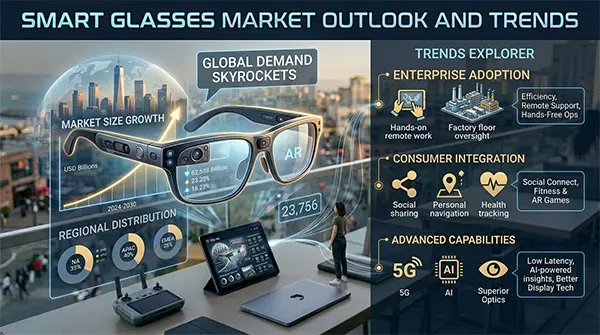
Smart Glasses Market Outlook and Trends
The smart glasses market is experiencing explosive growth. According to Grand View Research, the global smart eyewear market was valued at approximately $2.5 billion in 2025 and is projected to reach $14.4 billion by 2033. MarketsandMarkets similarly projects growth from $878.8 million in 2024 to $4,129.3 million by 2030, representing a compound annual growth rate (CAGR) of 29.4% — nearly a 5x increase in six years.
Several trends are driving this growth: battery life breakthroughs (2–3 hours in 2023 improved to 8–12 hours by 2025, with hot-swap systems removing the ceiling entirely), streaming platform integration (Streamlabs’ September 2025 AI glasses support signals infrastructure catching up to hardware), AI-powered features moving from novelties to practical creator tools, and IRL streaming hours on Twitch surging 133% to over 280 million hours watched.
As a manufacturer working with brands worldwide, we’ve seen the demand shift from novelty to daily-driver reliability. For creators, this means the technology is maturing rapidly — and 2026 is shaping up to be the year smart glasses become a mainstream content creation device.
Frequently Asked Questions
1. Can you live stream directly from smart glasses?
Yes. The Ray-Ban Meta Gen 2 supports native live streaming to Instagram and Facebook directly from the glasses. Other models like Mentra Live and Symphonic Waves support RTMP streaming, which lets you go live on Twitch, YouTube, and other platforms. Budget options like the OhO Sunshine have more limited streaming capabilities and are better suited for recorded content.
2. Which smart glasses support Twitch streaming?
Mentra Live and Symphonic Waves both support Twitch streaming via RTMP, allowing you to push your POV feed directly to your Twitch channel. The Ray-Ban Meta Gen 2 can stream to Twitch through Streamlabs integration, which acts as a bridge between the glasses’ camera and the Twitch platform.
3. Are smart glasses good for POV vlogging?
Absolutely. Smart glasses are arguably the best POV vlogging tool because they capture a true first-person view without any gear in your hands. The OhO Sunshine 4K and Symphonic Waves are particularly good for POV vlogging thanks to high-resolution recording and wide fields of view. The hands-free nature also lets you focus on your activity rather than managing a camera.
4. How long can you stream with smart glasses?
It depends on the model. The Ray-Ban Meta Gen 2 offers up to 8 hours of mixed use with a 48-hour charging case. Mentra Live supports about 40 minutes of continuous live streaming per charge. Symphonic Waves delivers ~90 minutes per battery pack but supports hot-swapping for effectively unlimited streaming. The OhO Sunshine typically lasts 1–2 hours for recording.
5. Do smart glasses work with OBS and Streamlabs?
Yes. Streamlabs announced AI glasses support in September 2025, starting with Meta’s devices, allowing you to use your glasses as a camera source with overlays, alerts, and multistreaming. For OBS, glasses with RTMP support (Mentra Live, Symphonic Waves) can be added as a network camera source.
6. Are camera glasses legal for recording in public?
Video recording in public is generally legal in the U.S. since people in public spaces have no reasonable expectation of privacy. However, audio recording triggers state consent laws. In 39 one-party consent states, you can record conversations you’re part of without notifying others. In 12 all-party consent states (including California, Florida, and Illinois), all participants must agree to be recorded. Always check your state’s laws before streaming.
7. What is the difference between Ray-Ban Meta and other streaming glasses?
The Ray-Ban Meta Gen 2 offers native Instagram and Facebook Live integration and the best ecosystem support (including Streamlabs), but is locked into Meta’s platforms and lacks RTMP. Other glasses like Mentra Live and Symphonic Waves support RTMP for multi-platform streaming but don’t have native Meta platform integration. The Meta also has a mandatory recording LED, while some alternatives allow you to toggle it off.
The Verdict: Which Smart Glasses Should You Buy?
Smart glasses for live streaming have crossed the threshold from novelty to legitimate creative tool. With battery life that now lasts a full day, video quality that rivals action cameras, and streaming platform support that’s rapidly maturing, there’s never been a better time to go hands-free.
Here’s our final recommendation by use case:
- For Instagram and Facebook Live creators: The Ray-Ban Meta Gen 2 ($379) is the clear winner with native platform integration, 3K video, and Streamlabs support.
- For multi-platform IRL streamers: The Mentra Live ($349) offers unmatched flexibility with RTMP streaming and an open-source platform.
- For all-day outdoor adventurers: The Symphonic Waves ($300–$500) hot-swap battery system eliminates the streaming time limit entirely.
- For budget-conscious vloggers: The OhO Sunshine 4K ($50–$100) delivers 4K recording at a fraction of the cost.
- For AR-enhanced content pioneers: The RayNeo X3 Pro ($1,299) brings augmented reality and AI to content creation.
Whichever pair you choose, the key is matching the glasses to your specific workflow — your platforms, your content style, and your budget. The right pair of smart glasses for live streaming doesn’t just replace your phone camera; it opens up creative possibilities that handheld filming simply can’t match.
These five cover the spectrum — but if you’re sourcing smart glasses for your own brand, our team at AI Sense Wearable offers customizable specs at manufacturing-direct pricing. Ready to find your perfect pair? Explore our collection of AI live streaming glasses and take your content creation hands-free.